Your Unified AI
Workspace
Why MashAI?
Keep work organized. Stay productive. Work without distractions.
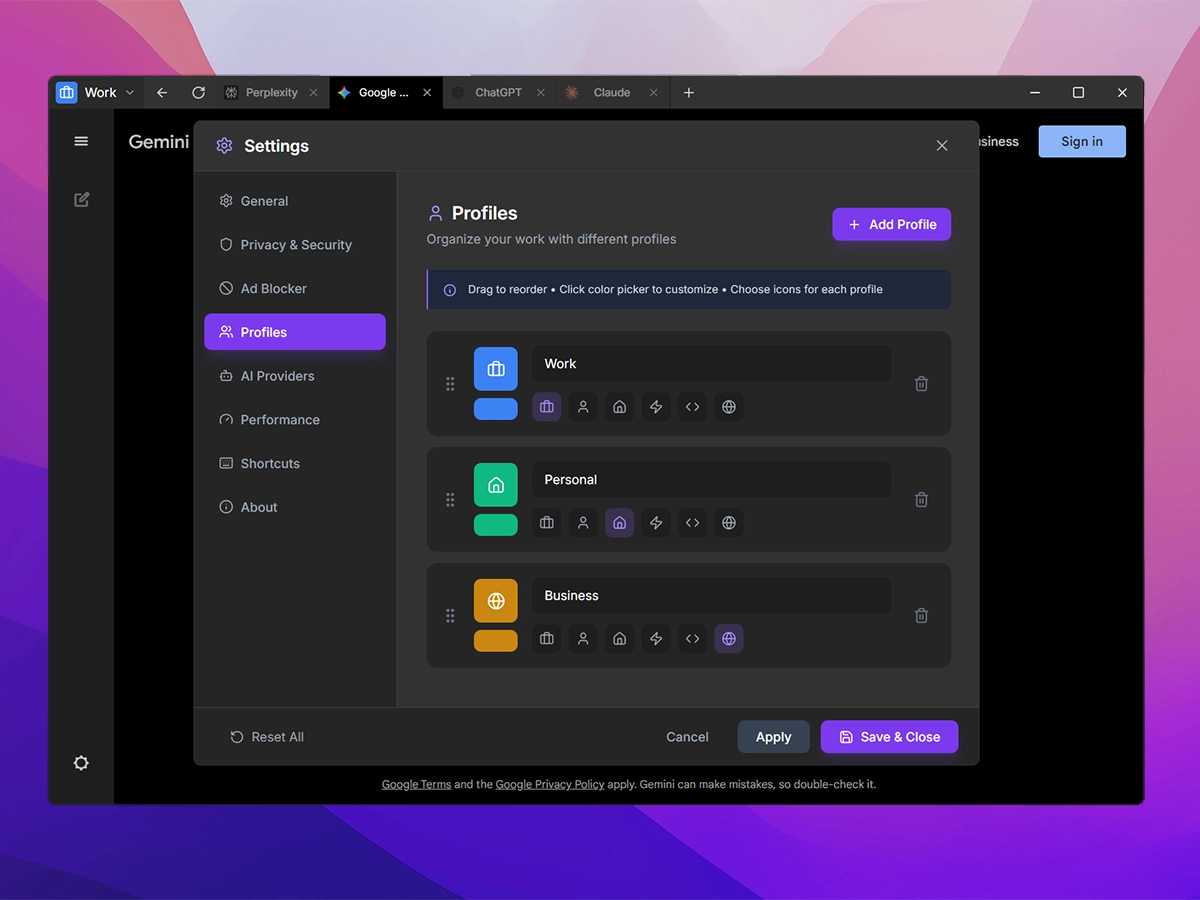
Keep work separate
Create profiles for different clients, projects, or personal use. Each keeps its own tabs and conversations.
- Isolated cookies — Login to different accounts per profile
- Custom icons & colors — Instantly recognize each profile
- Session memory — Each profile remembers its last active tab
Work distraction-free
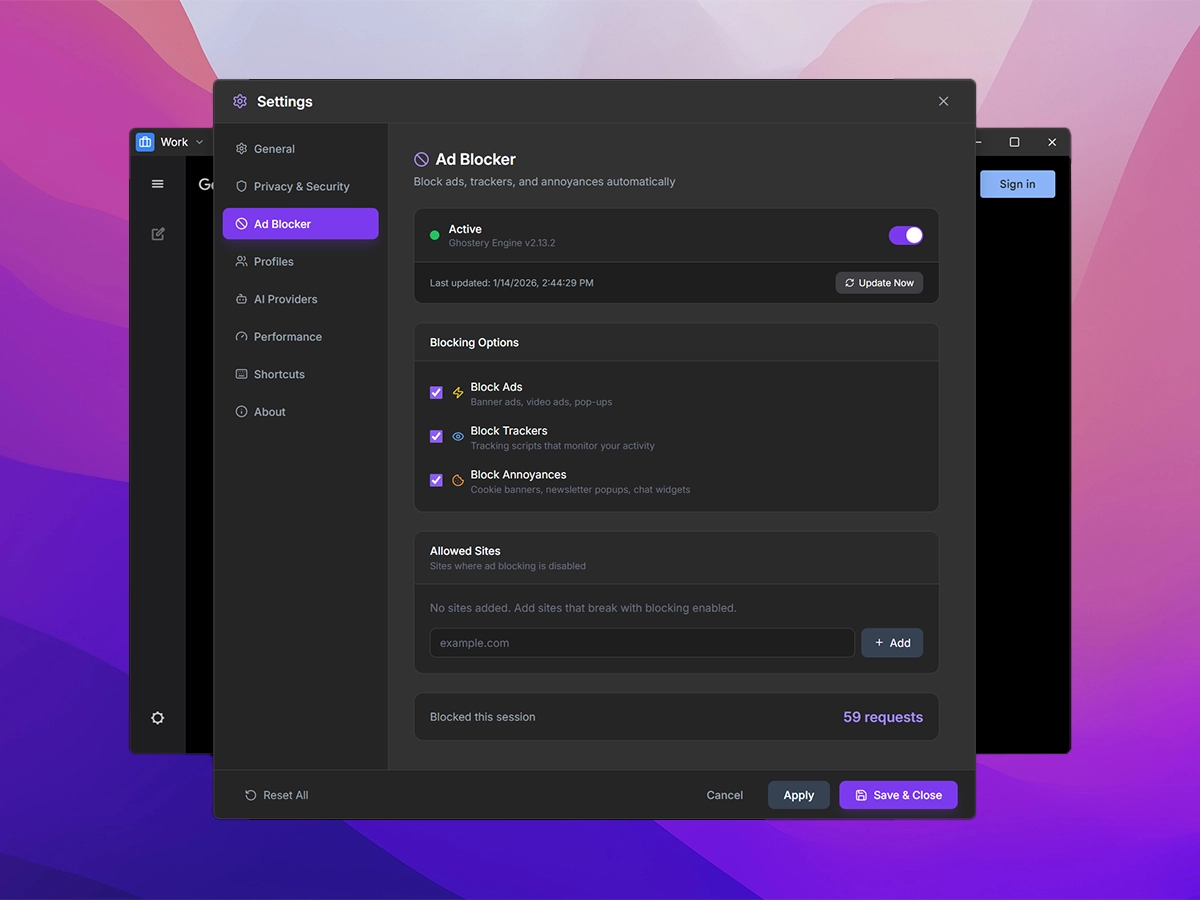
Built-in ad blocking stops tracking and keeps your screen clean. Toggle it on/off anytime.
- Zero telemetry — All data stays on your machine
- Cosmetic filtering — Hides ad placeholders for clean UI
- Auto-updating lists — Filter lists refresh every 24 hours
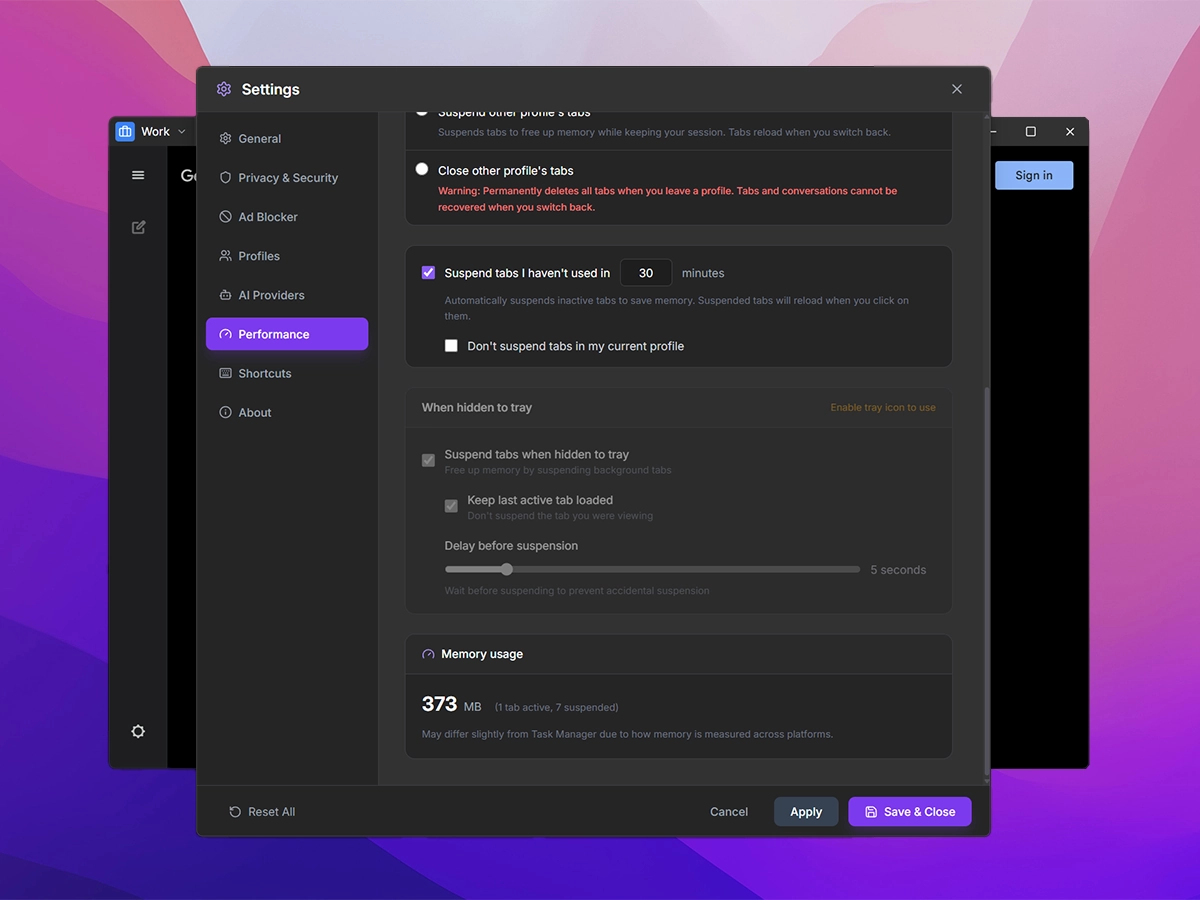
Stay fast with 20+ chats open
Tabs you're not using automatically free up memory. Tabs with media playing are never suspended.
- Auto-suspend — Inactive tabs suspended after configurable timeout
- Lazy loading — Tabs only load when you need them
- Memory tracking — See real-time RAM usage per tab
- Profile switch behavior — Choose to keep, suspend, or close tabs
Also Includes
Side Panel
Pin tabs side-by-side
Session Restore
Tabs saved automatically
Shortcuts
Customizable presets
System Tray
Minimize to tray
Downloads
Built-in manager
Get Started in 3 Simple Steps
No complicated setup. No account required. Just download and start working.
Download MashAI
Get the app for Windows. No account required—installation takes less than a minute.
Add Your AI Tools
Add ChatGPT, Claude, Gemini, or any web-based AI service. Create profiles for Work, Personal, or Research.
Work Without Distractions
Browse ad-free, switch between AI assistants instantly, and stay focused on what matters.
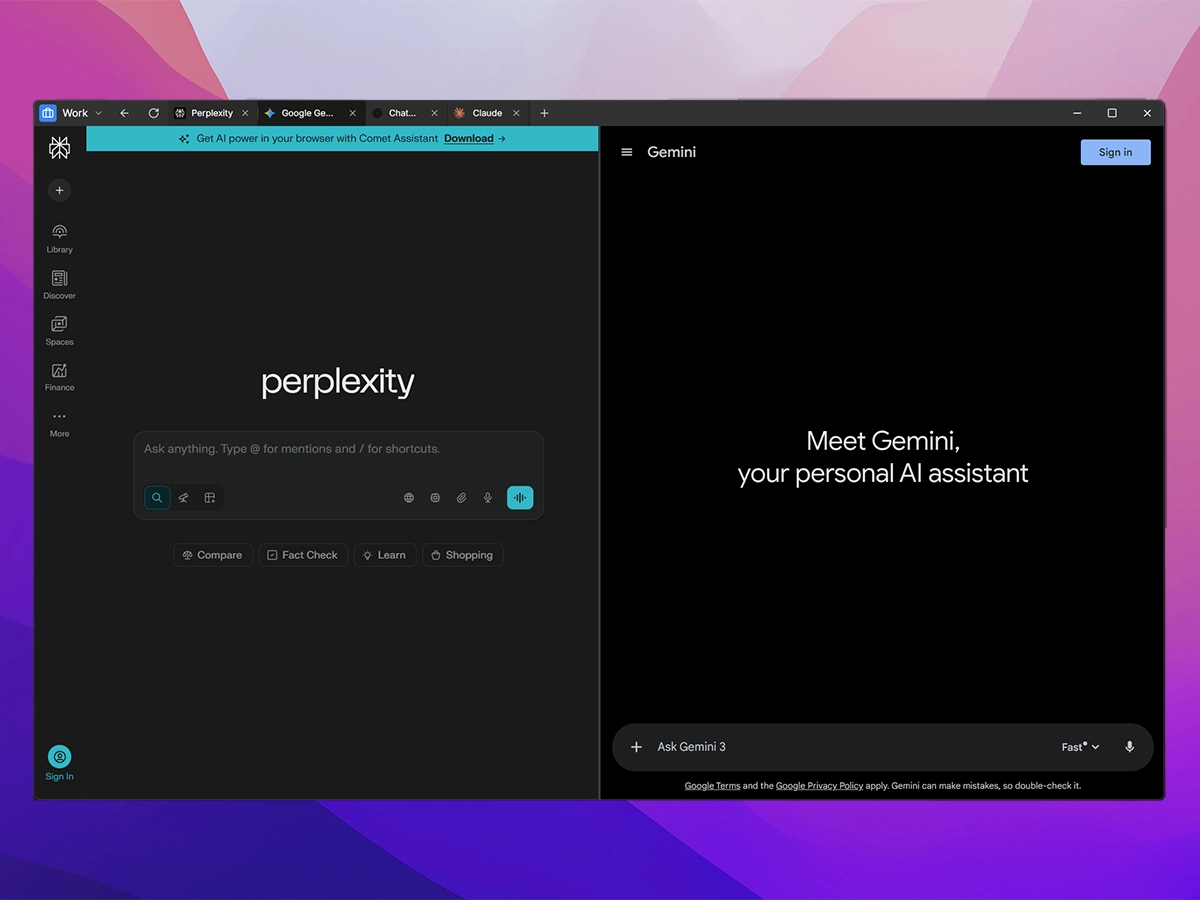
See MashAI In Action
A clean, focused interface designed for productivity—not distractions.
Built For Professionals
MashAI adapts to how you work—whether you're creating, researching, or strategizing.
For Marketers
Generate content, analyze competitors, and draft campaigns using multiple AI tools—all in one workspace.
For Consultants
Research industries, draft proposals, and manage client work with isolated profiles for each engagement.
For Researchers
Query multiple AI models for different perspectives. Keep research sessions organized and persistent.
For Creators
Brainstorm ideas, write scripts, and iterate on creative projects without context switching.
Why MashAI?
See how MashAI compares to juggling browser tabs and bookmarks.
Frequently Asked Questions
Everything you need to know about MashAI.
There's no catch. MashAI is open-source and doesn't collect or sell any data. Your conversations stay on your computer—we can't see them even if we wanted to. The code is public on GitHub for anyone to verify. This started as a tool I built for myself, and sharing it costs nothing.
What's Coming
We're constantly improving MashAI. Here's what we're working on next.
Local AI Support
Run Ollama, LM Studio, and other local models for completely offline, private AI.
Bring Your Own Keys
Use your own API keys for direct access to OpenAI, Anthropic, and other providers.
macOS & Linux
Native builds for macOS (Intel & Apple Silicon) and Linux distributions.
Stop losing work in browser tabs
All your AI tools organized in one desktop app. Free, open-source, and privacy-first.
Available for Windows. macOS and Linux coming soon. No account required.